Integration · SAP ECC
AI quote and sales order automation for SAP ECC
ERP Agent is an AI agent for SAP ECC that turns customer requests from email, PDF and Excel into quotations and sales orders. It identifies the right material for each line in your material master, gets that customer’s price from your SAP pricing and creates the document through SAP’s standard BAPIs once a rep has approved it. We set up the connection for your company during onboarding.
What ERP Agent reads from SAP ECC
Everything goes through SAP’s standard BAPIs for sales and master data, the interfaces SAP documents in the BAPI Explorer. No screen automation, no custom tables.
| SAP ECC data | Standard BAPI | What the agent does with it |
|---|---|---|
| Material master: materials, descriptions, units of measure | BAPI_MATERIAL_GETLIST, BAPI_MATERIAL_GET_DETAIL | Identifies the right material for each request line; a German request finds materials described in English |
| Customers with their sales areas | BAPI_CUSTOMER_GETLIST, BAPI_CUSTOMER_GETSALESAREAS | Finds the sold-to party behind the request and the sales organisation, distribution channel and division to quote from |
| Customer-material info records | BAPI_CUSTMATINFO_GETLIST | A line written with the customer’s own material number lands on your material |
| Customer prices | Sales order simulation (BAPI_SALESORDER_SIMULATE) | SAP calculates each line with your own pricing for that customer and quantity; the simulation saves nothing |
Master data, pricing and customer-material info records are only read: the agent never changes them.
What ERP Agent writes to SAP ECC
Two documents, both written only after a rep has approved the draft.
| Document | Standard BAPI | What is created |
|---|---|---|
| Quotations | BAPI_QUOTATION_CREATEFROMDATA2 | The approved quotation: header with sold-to and ship-to party, and one item per line with material and quantity, priced by SAP for that customer |
| Sales orders | BAPI_SALESORDER_CREATEFROMDAT2 | The approved sales order with its items, and the customer’s PO number on the header |
Both are ordinary SD documents your team opens, changes and converts like any other. The agent writes nothing but the quotations and orders your team has approved.
Can an AI agent automate quotations and sales orders in SAP ECC?
Yes. ERP Agent takes over the slowest part of sales order processing in SAP ECC: turning a customer’s email, PDF or spreadsheet into a document with the right materials, the right sales area and that customer’s prices. It works on top of the ECC system you run today and creates the quotations and sales orders your inside sales team would otherwise enter line by line. A rep approves every one.
In a large distributor, the material master is big, maintained in several languages and sold through more than one sales organisation. The customer writes “ball valve DN50 PN40 1.4408 flanged” or their own material number. Someone has to work out which material that is and what this customer pays. According to our case study, a sales rep spends on average 4–7 minutes per line when creating quotes and orders by hand; for a 30-line enquiry, that is two to three and a half hours. Put a number on today’s manual work with the quote cost calculator.
ERP Agent is the first agentic AI layer for wholesale distribution ERP systems, and on SAP ECC that means no replacement project and nothing new for your customers to learn. The same agent runs quote automation and order entry automation on any ERP; this page covers what it does inside SAP ECC. On S/4HANA it works through SAP’s OData APIs: see SAP S/4HANA.
How does SAP ECC quote and sales order automation work?
A request reaches the agent
Reps forward the customer’s email to your company’s agent mailbox, or paste it into the web app as it is and choose quotation or sales order. PDF (scanned too), Excel, CSV, Word, images and forwarded emails all work. Your own systems can send requests through the REST API or the MCP server.
Customer and materials are identified
The agent finds the customer from the company name or email domain and alerts the rep if none matches. Abbreviations, dimensions, standards and customer part numbers are mapped to materials in your material master, and candidates that contradict a stated size, voltage or pressure class are pushed down. A line too vague to identify goes on your placeholder material with the customer’s wording kept, never a guess.
SAP prices each line
The agent asks SAP for the price through a sales order simulation, so the price on the draft is the one your pricing procedure and condition records give this customer for this quantity. The simulation saves nothing in SAP.
A rep reviews the draft
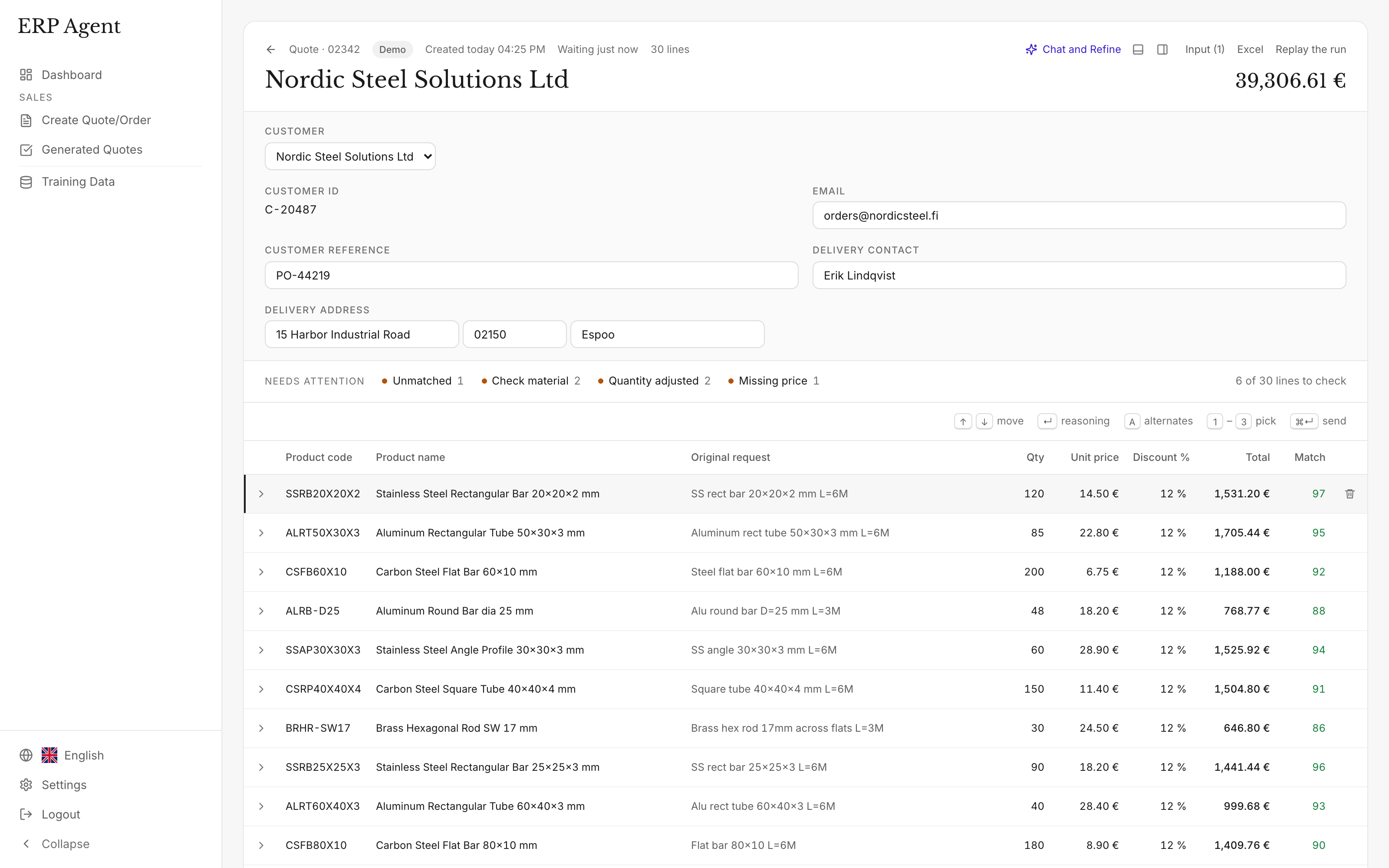
Lines appear as they are matched. The rep checks the marked ones, takes an alternative where needed, makes changes in quote chat and approves. A delivery address that differs from the customer’s ship-to party is flagged.
The document is created in SAP
Every material number is checked first, then the quotation or sales order is created through the standard BAPI and SAP returns the document number. A short countdown lets the rep cancel. The lines your team sends teach the agent: the next time a customer writes the same thing, it picks the same material.
Example: an emailed RFQ becomes an SAP quotation
A plant engineering contractor emails an Excel list to a valves and fittings wholesaler running SAP ECC; the rep drops it into the web app and chooses quotation.
“Please quote the attached for the boiler house revamp, delivery to our Antwerp site.”
- 12 x ball valve DN50 PN40 1.4408 flanged
- 40 x WN flange DN80 PN16 P250GH
- 80 x gasket DN80 PN16 graphite
- 6 x gate valve DN100 PN16 GGG40
- 20 x cust. mat. 4400-118
- 1 x bolting to suit the flanges
| Request line | Proposed SAP material | Qty | Match | Note |
|---|---|---|---|---|
| ball valve DN50 PN40 1.4408 flanged | Ball valve DN50 PN40, stainless steel 1.4408, flanged | 12 | 94 | DN, PN and body material as written; the PN16 valve pushed down. |
| WN flange DN80 PN16 P250GH | Weld neck flange EN 1092-1 type 11, DN80 PN16, P250GH | 40 | 95 | Type, size, class and grade read from the line. |
| gasket DN80 PN16 graphite | Flat gasket DN80 PN16, graphite with steel insert | 80 | 78 | Insert not stated: the reinforced gasket is proposed, plain graphite offered as an alternative. Marked for review (under 80). |
| gate valve DN100 PN16 GGG40 | Gate valve DN100 PN16, ductile iron EN-GJS-400, flanged | 6 | 93 | GGG40 read as ductile iron EN-GJS-400. |
| cust. mat. 4400-118 | Y-strainer DN50 PN16, cast iron | 20 | 98 | The customer’s own material number, found through the customer-material info record. |
| bolting to suit the flanges | Placeholder material, wording kept | 1 | – | Too vague to identify; the rep decides. |
Illustrative example with sample materials, numbers and scores. The Antwerp delivery address is flagged because it differs from the customer’s ship-to party; in a real draft, each line also carries the customer’s price from SAP.
What the rep sees before anything reaches SAP
- A match score from 0 to 100. Lines under 80 are marked, so review starts where judgement is needed. How the match score works.
- Reasoning. Open a line to see why the agent chose that material.
- Alternatives. Runner-up materials are kept for every line; take one instead with a click.
- Quote chat. Add or remove rows or change quantities and prices, then approve or reject each proposed edit line by line.
- Your team stays in control. The rep approves the draft before it is created in SAP, and nothing reaches a customer without approval.
Security and control
- GDPR-compliant, zero data retention. ERP Agent is GDPR-compliant, and models run with zero data retention. More on security and data handling.
- Access agreed first. Before setup, we agree which data the agent needs and which systems it can access.
- Its own technical user. The agent calls the BAPIs with its own SAP user, which holds only the authorisations the work needs: display for master data and pricing, create for the quotation and order types you choose.
- A route your SAP Basis team approves. We agree with your SAP Basis team how the agent reaches your ECC system: the BAPIs over RFC, or through SAP Gateway where your landscape already uses it.
- A person approves. Nothing is written to SAP until a rep approves the draft, and nothing reaches a customer without your team.
- Reads, never rewrites. Materials, customers, pricing and customer-material info records are read; the agent creates quotations and sales orders and changes nothing else.
Onboarding: what we need from you
We set up the SAP ECC connection for your company during onboarding. Your reps don’t wait for it: they start with a catalogue file the same week.
A catalogue export
An export of your materials with descriptions and sales units, for example to Excel. Reps forward real requests from the first week, reviewing every draft in the web app. See starting from a catalogue file.
A technical user
Your SAP Basis team creates a user for the agent with the authorisations we agree. We send the exact list of BAPIs it calls.
The route into your system
How the agent reaches your ECC system, agreed with your SAP Basis team: RFC, or SAP Gateway where you already run it.
Your rules and history
Quotation and order types, the sales area to use when a customer is set up in more than one, the placeholder material for lines too vague to identify, and past quotations or Outlook email history, so the agent learns how your customers write.
Live in SAP
Once the connection is live, customer prices come from SAP and approved quotations and sales orders are created there directly.
ERP Agent in numbers
- 4–7 min
- per line to create quotes and orders by hand, according to our case study
- Over 95%
- average automation across our customers
- 3–8 min
- for the agent to prepare a typical request
- 1–3 min
- in fast mode, for requests of up to about 50 lines
SAP ECC today, any ERP tomorrow
ERP Agent integrates with SAP ECC, SAP S/4HANA, SAP Business One, Business Central, NetSuite and any other ERP or CRM. We set up the connection for your company during onboarding, and you can start with a catalogue file the same week. Group companies on different systems use the same agent and the same review screen on each, so a group with ECC in one company and S/4HANA in another works the same way in both. See SAP S/4HANA, SAP Business One and all integrations.
ERP Agent is live with steel, HVAC and fastener distributors. What it checks on each line follows your trade: DN sizes and PN classes for valves and fittings wholesalers, grades and lengths for steel stockholders, DIN and ISO codes for fastener distributors.
Frequently asked questions
Does ERP Agent work with SAP ECC?
Yes. ERP Agent reads materials, customers, customer-material info records and prices from SAP ECC and creates quotations and sales orders through SAP’s standard BAPIs after a rep approves. We set up the connection for your company during onboarding, and you can start with a catalogue file the same week.
Does it create quotations or sales orders in SAP ECC?
Both. In the web app the rep chooses quotation or sales order for each request; emails forwarded to the agent mailbox become the document type your company has chosen. For customer purchase orders arriving by email, see purchase order to sales order automation.
Does ERP Agent replace SAP’s own AI features?
No, it adds a dedicated quote and order agent alongside the SAP tools you run. ERP Agent is built for wholesale requests: it reads the customer’s request as written, identifies materials from shorthand and customer material numbers in requests of several hundred lines, prices them in SAP, scores every line from 0 to 100 with its reasoning and alternatives, and learns from the lines your team sends. It works with the ECC system you have today.
Which SAP ERP releases does it work with?
SAP ERP 6.0 (ECC 6.0) and its enhancement packages. The quotation, sales order and master data BAPIs ERP Agent uses are part of standard Sales and Distribution. On S/4HANA the agent uses SAP’s OData APIs: see SAP S/4HANA.
What does ERP Agent need access to in SAP ECC?
Display access to materials, customers, customer-material info records and pricing, and permission to create quotations and sales orders in the document types you choose. Access runs through one technical user, and we agree the exact scope with you before setup.
Where do the prices on an SAP quotation come from?
From your SAP pricing. The agent runs a sales order simulation for the customer and quantity, so the draft shows the price your own condition records give. The rep can review and edit any price before approving.
How do we get started?
Book a call and bring a few real requests. Reps start the same week from a catalogue file while we set up the ECC connection during onboarding; SAP prices and documents created directly in SAP follow as soon as the connection is live. Pricing is a setup fee plus a monthly subscription, with an itemised quote before you start. See pricing.
Related
- AI quote automation for distributors and wholesalers
- Order entry automation for distributors: customer POs to sales orders
- ERP integrations for AI quote and order automation, on any ERP system
- Purchase order to sales order automation for wholesale distributors
- AI quote and sales order automation for SAP S/4HANA
- AI quote and order automation for SAP Business One
Let’s look at your quote workflow
Bring a request from your inbox
Book a 30-minute call with a few real requests; we’ll show how the agent handles them with your materials and what connecting your SAP ECC system involves.
- Your requests and product catalogue
- Your pricing and review process
- A clear scope for the next step

Lauri Pelkonen
Founder & CEO
Book a 30-minute call Request a demo by emailOr use the address directly